
India 's Best Laptop Buying Guide eBook: Choose the Right Laptop before You Buy
A good Laptop Buying Guide eBook will usually help you understand what each spec
means in plain English, relate those specs to your course or job, compare
the laptops on your shortlist on aspects that actually matter, set a realistic budget
grounded in real need, and help you avoid buying mistakes that can leave you
regretting your decision within months.
Before Buying a Laptop: Complete Guide to Avoid 50+ Common Mistakes
-
Video Editing
Laptop Buying Guide for Video Editing Students 2026
₹199.00Original price was: ₹199.00.₹49.00Current price is: ₹49.00. Add to cart -
Freelancers
Laptop Buying Guide for Freelancers 2026
₹199.00Original price was: ₹199.00.₹49.00Current price is: ₹49.00. Add to cart -
BA & BCom Students
Laptop Buying Guide for BA & BCom Students 2026
₹199.00Original price was: ₹199.00.₹49.00Current price is: ₹49.00. Add to cart
Short Demo
You open a shopping app to buy a new laptop, and soon you have 40 tabs open. One listing boasts about its processor generation, another shows off 16GB RAM, The third states “best value” but at a slightly higher price. You have no clue what an i5 12th Gen is, if Intel or AMD is better for your course, or whether 8GB RAM will have you pulling all-nighters during exams.
So you choose the biggest brand name, or the one your cousin recommended, or maybe just the cheapest that “feels fine.” Six months down the line, your laptop stutters during video chats, and its battery blows through your morning coffee, or you realize you paid for a graphics card you never use.
This is precisely the gap a good Laptop Buying Guide eBook for Smart Buying | BudgetTech should fill — not by spoon-feeding you with the “best laptops”, but by helping you figure out what you actually need before you buy a single rupee.
What Is a Laptop Buying Guide Ebook?
The goal isn’t to tell you which laptop to buy. It’s to help you ask the right questions so you can decide confidently yourself.
A Laptop Buying Guide ebook is a comprehensive aid that helps you make your buying decision instead of just throwing specs at you. You could be following instead of reading twenty different disjointed pieces on your usage profile.
A good Laptop Buying Guide eBook will usually help you understand what each spec means in plain English, relate those specs to your course or job, compare the laptops on your shortlist on aspects that actually matter, set a realistic budget grounded in real need, and help you avoid buying mistakes that can leave you regretting your decision within months.
We’re not trying to tell you what laptop to buy. That should empower you to ask the right questions and make your own informed decision.
How the Ebook Helps You Choose According to Your Use Case
There’s no such thing as the best laptop for everyone. What counts as the “right” computer is entirely a function of what you plan to do with it.
School and College Students
You’re not being asked for much if all you are doing is attending live classes, writing assignments, working on MS Office, searching internet for research and watching recorded lectures. A powerful processor, 8GB RAM, an SSD, and good battery life is fully sufficient to run this for a couple of years ,there’s very little reason to go for gaming rank specifications.
School and College Students
If you’re mainly attending online classes, writing assignments, using MS Office, browsing for research, and watching recorded lectures, your needs are modest. A reliable processor, 8GB RAM, an SSD, and decent battery life cover this comfortably for a few years, there’s rarely a reason to chase gaming-grade specifications.
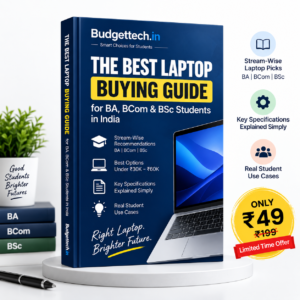
Laptop Buying Guide eBook for BA & BCom Students
Everyday reliability BA, BCom students should look for in a laptop Everything in a student’s/life’s routine is related to preparing reports, studying for exams, or completing rest schoolwork and to sum up in a Laptop guide eBook for BA & BCom students, the device must be practical above all else and not necessarily the most powerful one on the market. Most busywork involve MS Word, Excel and PowerPoint presentations, research, and video calling for group projects.
Prioritise a comfortable keyboard, 8GB RAM (16GB if you multitask heavily), SSD storage, solid battery life, and a lightweight body. A Laptop Buying Guide eBook for BA & BCom Students should steer you toward value for money rather than a configuration you’ll barely use.
Focus on a decent keyboard, 8GB RAM (16GB if you do lots of multitasking), SSD storage, good battery life, and a light weight, value for money, rather than a specification sheet. You won’t use a Laptop Buying Guide for BA & BCom for only choosing expensive or multi software based laptop. The guide will make you aware of many mistakes that you need not to do before making a laptop buying decision.
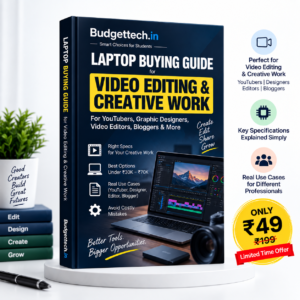
Laptop Buying Guide eBook for Video Editing Students
Video editing really requires more than a basic student laptop, and that’s why we have a separate Laptop Buying Guide for Video Editing Students. Software such as Premiere Pro, DaVinci Resolve, CapCut and Photoshop is very processor intensive, and can also take advantage of a dedicated GPU when working with higher resolutions or applying heavier effects. RAM will normally need to be 16GB beginning as editing timelines and previews use memory quick. SSD storage, preferably 512GB or more, is important not just for speed but also for storing huge project files.
Image quality Color and exposure bias, and thermal performance How well the laptop can maintain its speed in long exports without thermal throttling. Your real needs will vary based on what resolution you’re editing at, the complexity of your projects and which software you use; a student working on short 1080p clips isn’t going to want the same rig as a student rendering 4K projects. This is the core function of a Laptop Buying Guide ebook for Video Editing Students: to help you find the right machine for a real editing workload, not the priciest creator laptop you can find.
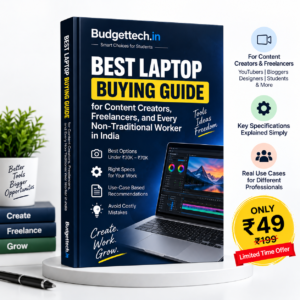
Laptop Buying Guide for Freelancers
From digital marketing and content writing to graphic design, video editing, web development and virtual assistance, freelancers cover a huge breadth of services, so a Laptop Buying Guide for Freelancers needs to consider diverse but similar requirements.
Portability, Battery Life: If you’re hitting the cafés, client offices, or traveling, portability and battery life are going to be important. A good webcam and stable connectivity are important for client meetings, as is the ability to multitask when you’re managing browser tabs and communications software simultaneously.
Your performance requirements will become niche specific a content writer doesn’t need nearly as much power as a freelance video editor. A Laptop Buying Guide for Freelancers can give you a better idea of what you need to move from “good to have” to “must have” based on what kind of freelance work you do.
Most Important Laptop Specifications to Check before Buying
Specification | Affects | Who Needs More |
Processor | Speed, multitasking | Editing, coding |
RAM | App switching | Design, heavy multitasking |
SSD Storage | Load speed, file access | Media, large files |
GPU | Rendering | Editing, design, 3D |
Display | Colour, comfort | Editing, long study |
Battery | Time off charger | Students, travellers |
Weight | Portability | Daily commuters |
Keyboard | Typing comfort | Writers, students |
Webcam | Call clarity | Freelancers |
Ports | Accessory support | Editors, professionals |
Build quality | Durability | Everyone |
Thermal design | Sustained speed | Editing, coding |
Upgradeability | Future expansion | Budget buyers |
Warranty | Repair ease | First-time buyers |
Testimonials of Our Buyers
Whats Our Experts Says
Conclusion
The best laptop isn’t always the most expensive or the most powerful. It’s the laptop that fits what you really need without making you pay for performance or features that you don’t need.
Whether you’re a BA or BCom student looking for daily durability, a video editing student trying to find the best bang for your buck, or a freelancer who’s portability is paramount to peace of mind, the best choice begins with knowing what you need and not who shouts the loudest on a listing page.
Go through this choice with you using BudgetTech’s Laptop Buying Guide ebook, and check out BudgetTech’s laptop recommendations once you know what you’re looking for.