

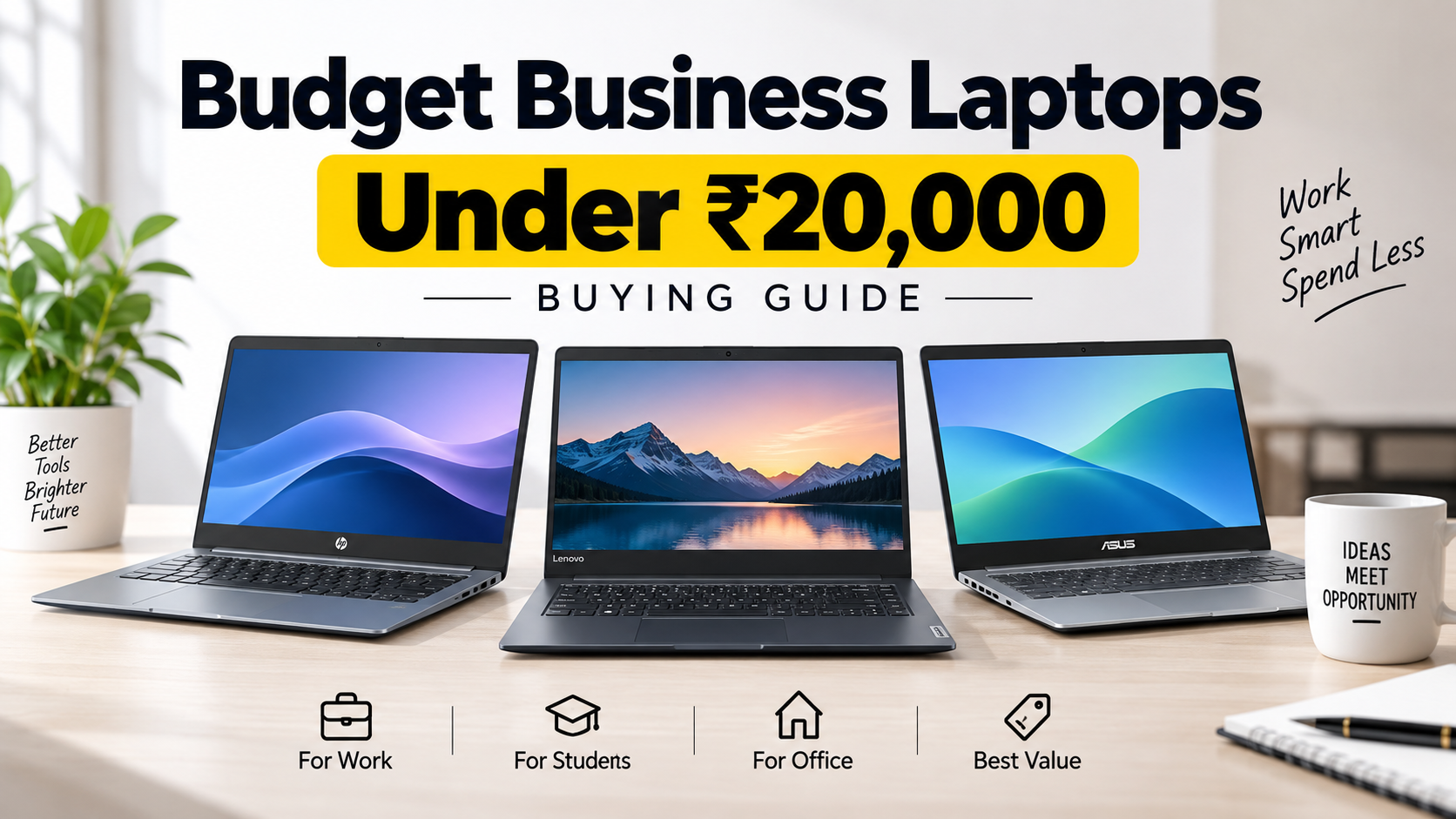
Best Budget Business Laptops Under ₹20,000 in India
Buying the latest-generation MacBook Air can feel exciting and satisfying, and there is nothing wrong with choosing a premium laptop if it fits your needs and budget. But a big brand name or a high price tag does not immediately mean that you have made the best purchase.
It can be hard to find the best budget business laptop under ₹20,000 in India when you don’t know where to start. With rare choices in this price range, knowing what you actually need goes even further.
Ask yourself a couple of simple questions before purchasing a laptop: Why do I need a business laptop? What are you going to use it on? Will you be using it for e-mails, web sessions, online meetup, work on spread sheets and presentations or any other day-to-day work?
Once you have clear answers from the above questions buying the right laptop becomes so much easier. Instead of buying a laptop based solely on its brand or looks, you can now compare laptops in terms of your needs, workload, and budget.
With our expertise, we at BudgetTech scrutinize, analyse, and compare budget laptops for a diverse user base. We take into consideration your hard-earned money, processors performance levels, RAM capacity, storage availability, the compatible software, the size of the display, portability, the duration of the battery and overall value of the product to help you make an easy buying decision.
What Are the Buyers’ Interests While Buying A Budget Business Laptop Under ₹20,000?
Before you select the best budget business laptop under ₹20,000, It is advisable to know why do you need it actually. Since laptops under this price are meant for very basic and light work, knowing what you are most likely going to use it for will help you know what to expect and which model to choose.lor sit amet, consectetur adipiscing elit. Ut elit tellus, luctus nec ullamcorper mattis, pulvinar dapibus leo.
Before you select the best budget business laptop under ₹20,000, It is advisable to know why do you need it actually. Since laptops under this price are meant for very basic and light work, knowing what you are most likely going to use it for will help you know what to expect and which model to choose.lor sit amet, consectetur adipiscing elit. Ut elit tellus, luctus nec ullamcorper mattis, pulvinar dapibus leo.
Programming & Development Projects: Students learning how to code, programmers, or web developers just getting started on projects on a budget may use a Laptop Under ₹20,000 for entry-level programming. A laptop costing under ₹20,000 can be used for basic programming, HTML, CSS, regular JavaScript, and fundamental tools for programming. Nevertheless, intense software development, app development, virtual machines, and other CPU-heavy tasks may call for faster gear.
Entertainment & Light Gaming: You can use a budget laptop to watch movies, download videos, surf internet and play light or browser-based games. But those hoping to enjoy the latest games or the most graphics intensive titles shouldn’t get their hopes up for a smooth gameplay experience on a laptop like this.
Basic Content Creation & Editing: Create content and deliver it, and now you can do that on inexpensive business laptops. A budget business laptop under ₹20,000 can be very useful in writing scripts, running social media, doing basic designs, editing documents, and even doing some small photo or video editing. For professional video production, high-end 3D design or truly large scale projects, a more powerful laptop would be a good choice.
Day to Day Student Tasks: Students can utilize a cost-effective laptop to perform daily school work such as writing assignments, taking notes, browsing the web, joining online classes, making presentations, reading PDFs and doing online research. A good budget laptop will suffice for those simple computing tasks that you do daily.
Key Specifications to look for in a budget Business Laptop Under ₹20,000
When buying a business laptop on a tight budget, you need to focus on the features that matter most for your daily work. At under ₹20,000, you may have to compromise on premium specifications, but the right combination of performance, portability, storage, and battery life can still provide a practical experience for basic office and student tasks.
Here are the key features to consider when choosing the best budget business laptop under ₹20,000.
Display Quality and Screen Size: The display plays an important role when you spend long hours working on documents, browsing the web, attending online meetings, or switching between applications. Look for a laptop with a comfortable screen size and the best resolution available within your budget. A Full HD (1920 × 1080) display is preferable, but it may not be available on every laptop under ₹20,000.
Processor for Everyday Performance: The processor determines how smoothly a laptop handles everyday tasks. In this price range, focus on the best available entry-level processor rather than expecting a recent Intel Core i5 or AMD Ryzen processor. A capable budget processor should be sufficient for web browsing, emails, document editing, online classes, and other lightweight business tasks. Not only this, but if you buy laptop under ₹30,000, you also need to take care of all these specification.
What Are the Key Specifications to Check in Business Laptop under ₹20,000?
When looking for a business laptop on a budget, here are some of the most important things to know about what to expect. You can expect some compromises in terms of specifications at under ₹20,000, but a good balance of performance, portability, storage, and battery life can still deliver a decent experience for elementary office and student tasks.
Below are the important features you should check out when looking for the best business laptop under ₹20,000.
Display Quality and Size Screen: When you work with documents for long hours, surfing the internet, joining on-line meetings, and multitasking different software, you will need a good display on the laptop. Whether want a business laptop under ₹30,000, 20,000 or any other price,, but it must have comfortable screen size, and the best resolution you can afford. A Full HD (1920 × 1080) screen is recommended, however, not all laptops less than ₹20,000 come with it.
Processor for General Performance: The processor affects how well a laptop performs daily duties. Within this price range, always go for the best you can at the entry level processors, you can forget about a current gen Intel Core i5 or AMD Ryzen proc. An efficient budget CPU would be good enough for browsing the web, e-mails, document editing, online classes, and other lightweight business work.
Good battery life-Batteries are particularly important for students and professionals who travel often and work for long periods of time not plugged into a power source. Find a laptop that offers you 6-8 hours of battery life for a normal working day. However, the length of the battery run time can be affected by the screen brightness, running applications, connectivity, and workload.
Ports and Connectivity: Useful to have A quality work machine should allow you to conveniently hook up your key peripherals and other external gadgets. Find some handy ports, like USB, HDMI, an audio jack, Wi-Fi, and Bluetooth. USB-C and an SD card slot are Welcome additions, but your mileage may vary with these laptops in this price range
Lightweight and Portable Design: If you carry your laptop to class, to the office or to a library or co-working space on a regular basis, you should be thinking about portability. An ultra-thin laptop is not only easy to pack in a bag but also very comfortable for commuting on a daily basis. For best results, seek out a unit that weighs close to 1.8 kg or less.
Adequate RAM for Basic Multitasking: The amount of RAM tells you how well a laptop can run multiple apps and browser tabs at one time. Although 8GB RAM is recommended for better multitasking, a few laptops under ₹20,000 may feature 4GB RAM. If you can, get a laptop with 8GB RAM, or one which has upgradeable RAM in the future.
Easy & Quick Storage: Utilize what is underutilized space of your storage room now! Storage is the capacity that provides you documents, applications, movies, music and other data files. An SSD is better than a standard HDD, but you can get faster boot times and better overall responsiveness. If a 512GB SSD would be great, but it’s a rarity in this price range, so whatever the biggest SSD capacity you can afford is best.
Graphics for Basic Visual Tasks: Most of the laptops below ₹20,000 come with integrated graphics and not a dedicated graphics card. Integrated graphics are good enough for presentations, video streaming, photo editing light, basic design work, and even simple games. For high-end video editing, 3D modelling or hardcode gaming you will need to go with a laptop with higher-end specs and price tag.
Brand Reliability and After-Sales Service: Price and specifications should not be the only considerations while buying. Look at the brand’s warranty period, authorised service centres, customer support and availability of spare parts. Strong after-sales service is an asset when things go wrong after you buy a laptop.
Which Popular Brands Offer Value-for-Money Business Laptops Under ₹20,000?
Several well-known brands offer affordable business laptops under ₹20,000. Some popular options include:
• Samsung
• Acer
• HP
• Dell
• Lenovo
• Apple
• Asus
Common Mistakes while buying laptops under ₹20,000
Buyers and students tend to make errors while selecting a lite business laptop at under ₹20,000 – here are the ones you should avoid:
Buying a Laptop with too Little RAM- When shopping for a business laptop with long battery life for under ₹20,000 look for the most RAM that fits into your budget. Even though 8GB RAM is not necessary, but it enhances the speed of working, you can do multitasking easily and faster data access in daily works.
Following a Brand Instead of Your Use Case:- Plenty of students and working professional just end up buying a laptop because the brand has a strong market reputation. Don’t make a decision based solely on a brand name – consider your actual use case, workload, and requirements.
Using an Old HDD instead of SSD Storage– An SSD speeds up storage for apps, documents and files. It can speed up boot times and running the laptop overall you’ll find it more responsive. Traditional HDDs are slower than SSDs and they have been known to hamper the smooth user experience that a modern laptop is supposed to offer.
Disregarding Newer Processor Technologies: The processor is the brain of a laptop, and runs instructions of software and applications. I recommend you stay away from buying last generation’s processor to save money. Check the processor generation, performance, and power efficiency when choosing a budget business laptop under ₹20,000.
Ignoring Warranty and Service Facility: Searching for a cheap laptop price, lots of customers just concentrate on the price and neglect some significant factors, such as the warranty coverage, after-sales service, Official service centres and so on, and what they most require would be the dependable long-term servicing network.
Neglecting Heat Dissipation and Cooling: Intermittent heat is just heat, but overheating too often while using the device could be a sign of bad heat dissipation. Test the cooling before you buy any laptop and do not buy one that heats up too much.
Purchasing Either The Most Expensive Or The Cheapest Laptop Without Prior Study – There’s no bigger mistake than opting for the cheapest laptop so to save money. On the other hand, it is not a good idea to buy an expensive model without due research. Always make price comparisons, check the specifications, features and whether or not you really need it before you buy it.
How BudgetTech Selects the Best Budget Business Laptops Under ₹20,000
BudgetTech has a thorough independent analysis to pick out best budget business laptops under 20000 in India. We judge each laptop on realistic criteria that students, professionals and casual users actually care about.
Protection Claims and Customer Support Services: We have reviewed the warranty duration, the quality of after-sales service and the network of service centres while tossing our recommendation. Better warranty coverage and better customer support are given more weight in our consideration.
Portable Design (is it easy to carry?): Many students drag their laptops between home, college, classes and the library. So we test for weight, portability, and design to determine which laptops are best for traveling.
Battery Life: Real-life Equipment Performance- Classes and daily work can be interrupted with a laptop having bad battery backup. We calculate the theoretical battery life at normal use, and we also prefer those products that allow for a reliable power supply for applications for study and office.
Possibility Of Future Hardware Upgrades: When available, we also check if a laptop can be upgraded (RAM, storage) in the future. Being able to upgrade a budget laptop in a better way can mean holding onto the device longer and not having to replace as early.
Laptop Recommendations That Are Not Biased Towards A Brand: BudgetTech is an unbiased laptop buyers guide. We review laptops neutrally, without brand bias, and consider the features, usability, performance and value of each product.
Performance In Online Meetings & Classes: Two-way virtual interaction is now a requirement for students and working professionals. We test laptops on how they perform for online classes, Zoom meetings, video conferences a product of everyday life.
Screen Comfort for Long Usage- Students and professionals spend hours working on a laptop. To help us determine if a laptop can hold up through a long day of studying or work, we check for adequate resolution, clear text and comfortable viewing.
Strength and Durability over Time– We also test for build quality and durability because a budget device has to be able to survive regular use, frequent travel, and the normal wear and tear of everyday life.
Temperature Control and Cooling-Persistent overheating can impair comfort as well as performance. To help us know which laptops are likely to suffer when tasked with daily workloads, we also consider thermal management and heat dissipation.
Comfortable Keyboard for Daily Typing: Students and working professionals have to type for long hours while working on assignments, emails, reports, documents. Before picking the best laptops, we test for keyboard comfort and the typing experience.
Manufacturer reputation and Customer experience: We would not endorse a laptop because the brand is known or popular. Still, we do evaluate brand stability, reviews from customers, as well as feedback from users to see if there is any consistency in quality or identifying patterns.
Price-to-Performance Comparison: Each shortlisted laptop is then compared against other competitors to see if it is priced well. We check the price, specifications, feature, practical usability to get the best ones within your budget.
Daily Multi-Tasking Performance: We’re also testing if a laptop can handle assignments, online research, web browsing, document editing, light coding, and multitasking. Everyday function, smooth function Models that smoothly perform these daily routines, you will get higher **** in our rankings.
FAQ (Frequently Asked Questions)
What Brands Are The Best Values For Money Business Laptops?
ASUS, HP, Dell, Lenovo, Acer, Samsung, LG, and Apple are some of the well-known brands that make budget business laptops. The best option is going to be rooted in your budget, the specs you need, and your day-to-day workload and favourite features.
Should you get an SSD instead of an HDD for Your Business Laptop?
Yes. An SSD is normally faster and more power efficient than a regular HDD. SSD storage is the better option for a business laptop or best laptop for students in 2026 as it can enhance boot times; file access, and overall system responsiveness.
Is ₹20,000 Good Enough For A Business Laptop?
Yes, 20,000 rupees is not a lot to ask for when looking for a decent business laptop, but it is possible to find one that will manage web browsing, working on emails, online meetings, and even that x amount of light-duty document editing. Users need to have realistic expectations of performance at this price point.
What Battery Life Is Good for a Business Laptop?
A business laptop should have an average battery life of approximately 8 hours to be used daily. Actual battery life, however, depends on such things as screen brightness, applications, internet connection speed, and workload.
What display Resolution Is Recommended For A Business Laptop?
Among other things, a Full HD display is recommended for a business laptop as the higher resolution helps in viewing documents, charts, graphics, images, presentations, and even videos more clearly. A crisp display will also keep you entertained if you ever watch TV outdoors on a sunny day.